Showing posts with label Android. Show all posts

Decompiling & Recompiling Android APKs

Leave a Comment

Decompiling & Recompiling Android APKs

(Decompiling & Recompiling Android APKs using APK Tool)

APK Tool Introduction.

A tool for reverse engineering 3rd party, closed, binary Android apps. It can decode resources to nearly original form and rebuild them after making some modifications. It also makes working with an app easier because of the project like file structure and automation of some repetitive tasks like building apk, etc.

Quick Checks.

1. Check if Java 1.7 is Installed.
2. Does executing java -version  on command line / command prompt return 1.7.
C:\Windows\system32>java -version
java version "1.7.0_111"
Java(TM) SE Runtime Environment (build 1.7.0_111-b14)
Java HotSpot(TM) Client VM (build 25.111-b14, mixed mode, sharing)
3. If not Install Java 7 and make it default.


Installation.

  • Windows:
  1. Download Windows wrapper script (Right click, Save Link As  apktool.bat )
  2. Download apktool-2 (find newest here).
  3. Rename downloaded jar to  apktool.jar .
  4. Move both files ( apktool.jar  &  apktool.bat ) to your Windows directory (Usually  c://Windows ).
  5. If you do not have access to  c://Windows , you may place the two files anywhere then add that directory to your Environment Variables System PATH variable.
  6. Try running  apktool  via command prompt.

Step 1: Finding Framework Files.

There are two types of framework files, which should be extracted from your Android device. These files can be found in the root of your android device. (Note: Framework files are in .apk format).
/system/framework/
/data/system-framework/
/system/app/
/system/priv-app/
These files are usually named as "resource" ,"res" or "framework" .


Step 2: Installing Framework Files.

  1. Make a new folder.
  2. Paste the two framework files (That you grabbed from your android device).
  3. Paste the apk which you desire to edit, in that particular folder.
     4. [Shift] + [Right Click]. In that folder location. Then choose "Open command window here".
     5. Type the following commands.

E:\Test>apktool if framework-res.apk
I: Framework installed to: 1.apk 

E:\Test>apktool if twframework-res.apk
I: Framework installed to: 2.apk 

Step 3: Decompiling APK .

1. After installing the framework files its the time to decompile the apk.
2. Use the following command to decompile the apk.
E:\Test>apktool d ABCHHackerz.apk
I: Using Apktool 2.2.1 on ABCHHackerz.apk
I: Loading resource table...
I: Decoding AndroidManifest.xml with resources...
I: Loading resource table from file: C:\Home\AppData\Local\apktool\framework\1.apk
I: Regular manifest package...
I: Decoding file-resources...
I: Decoding values */* XMLs...
I: Baksmaling classes.dex...
I: Copying assets and libs...
I: Copying unknown files...
I: Copying original files...
  
3. The files from the apk are been extracted in the folder. Replacements, Script Editing, Other changes can be done in there.

Step 3: Re-Compiling APK .

1. When all the needed changes are been finished. Its the time to Re-Compile the extracted folder.
E:\Test>apktool b ABCHHackerz
I: Using Apktool 2.2.1 on ABCHHackerz
I: Checking whether sources has changed...
I: Smaling smali folder into classes.dex...
I: Checking whether resources has changed...
I: Building resources...
I: Building apk file...
I: Copying unknown files/dir...
2. After the building process completes. The compiled apk is stored in the Extracted folder.
ABCHHackerz(Extraxted Folder)\dist\ABCHHackerz.apk(Compiled APK)

3. The Compiled APK is currently Unsigned. So you can't install it yet. You have to sign it for installing it on your device.

Step 3: Signing APK .

1. For Signing an apk you'll need APK Editor Pro (Download).
2. Install APK Editor Pro on you Android Device.
3. Further Instructions are in the following Video.


References .

Credits to iBotPeaches for creating such an awseome tool.


Pokemon Go Roam App (Only for Android Devices). UPDATED....!!

Leave a Comment

Pokemon GO Roam Android App


Pokémon GO Roam Android Application is a hack tool for the ridiculously famous and viral Android, IOS game Pokémon GO. It is built on Niantic’s Real World Gaming Platform and will use real locations to encourage players to search far and wide in the real world to discover Pokémon. Pokémon GO allows you to find and catch more than a hundred species of Pokémon as you explore your surroundings.

The Pokémon video game series has used real-world locations such as the Hokkaido and Kanto regions of Japan, New York, and Paris as inspiration for the fantasy settings in which its games take place. In Pokémon GO, the real world will be the setting!

Get on your feet and step outside to find and catch wild Pokémon. Explore cities and towns around where you live and even around the globe to capture as many Pokémon as you can. As you move around, your smartphone will vibrate to let you know you're near a Pokémon. Once you've encountered a Pokémon, take aim on your smartphone's touch screen and throw a Poké Ball to catch it. Be careful when you try to catch it, or it might run away! Also look for PokéStops located at interesting places, such as public art installations, historical markers, and monuments, where you can collect more Poké Balls and other items.

Screenshots.

Pokemon GO Roam Requires.

  1. Android Device.
  2. Root Access.
  3. Xposed Framework.

Instructions.

  1. Download and activate in Xposed installer.
  2. Reboot the device to complete activation.
  3. Go to Settings>Developer Options>check Allow Mock Location.
  4. If you are on Android 6 or above, please grant Location and Draw over other apps permissions.
  5. Press and hold on the Map to set your initial location.
  6. Press the play button to display the controls, you can drag it around screen by holding on the ABCHHackerz Symbol in the center.
  7. Press the Stop Service Tab in the Notification Drop-down menu.

Warning.

Do not jump too far away from one location to another. This may result in a temporary/permanent ban from the game. The app developer won't be responsible for anything that happens to your Pokemon Go Account.

V1.2 : 30 July 2016

- Auto Walk Feature.
- Search Box Locator. 
- Can be executed in the absence of Xposed Framework.
- Fix: Pokemon Go Detection upto 50%.

V1.0 : 24 July 2016

-Initial Release

DOWNLOAD V1.0 (2.06 mb)
Password:- www.abchhackerz.com


DOWNLOAD V1.2 (2.38 mb)
Password:- www.abchhackerz.com

Get Access to Blocked Websites (Private VPN Tunnels)

Leave a Comment

Get Access to Blocked Websites From your Country, Colleges, Schools, Offices, Public Hotspot Areas, etc.


Hotspot Shield Elite VPN v5.20.4(PC) & v4.1.8(apk)


Hotspot Shield creates a virtual private network (VPN) between your laptop and the wireless router. This impenetrable tunnel prevents snoopers and hackers from viewing your email, instant messages, credit card information or anything else you send over a wireless network. Which means you remain anonymous and protect your privacy. Sure, public Wi-Fi hotspots are great. After all, what would life be without checking your email each morning at your favorite café? But while you're enjoying your latte and a bagel, some hacker might be accessing your passwords, credit card numbers, sensitive company data and much more. And standard antivirus software won't protect you. That's why AnchorFree is pleased to offer Hotspot Shield. This free security software keeps your Internet connection secure at public hotspots, home or work. Hotspot Shield security software is free to download, employs the latest VPN technology, and is easy to install and use.

Features

  • Secure your web session, data, online shopping, and personal information online with HTTPS encryption.
  • Protect yourself from identity theft online.
  • Hide your IP address for your privacy online.
  • Access all content privately without censorship; bypass firewalls.
  • Protect yourself from snoopers at Wi-Fi hotspots, hotels, airports, corporate offices.
  • Works on wireless and wired connections alike. Provides Unlimited Bandwidth.
  • Works on the PC and the MAC, including new operating systems (Windows 7 and Snow Leopard)
  • Protect your IP Address and surf the web anonymously.
  • Bypass internet censorship and restrictions Instantly unblock YouTube, unblock Facebook, or unblock any site. Get access to geo-restricted sites and VOIP application from anywhere.
  • Secure your data, online Shopping, and personal information online with HTTPS encryption.
  • Enable WiFi security and prevent hackers from stealing your personal information
  • Protect your device from malware, phishing, spam sites, and malicious sites.
  • Download up to twice the content for the same bandwidth cost with Hotspot Shield data compression technology.
  • Only US Server for the Android Application.
  • No Root Access Needed for Android.

Download Contains

  1. Windows Application 32bit & 64bit with Crack. (Supports in Win7 and Above.)
  2. Android Application Cracked. (Supports in Almost all versions, even in Marshmallow.)

DOWNLOAD


How to Modify .exe Files or a Software HIjacking.

Leave a Comment

How to Modify .exe Files or a Software HIjacking.


Hey, Hackerz Here's our new post on Software Hijacking or somewhat exactly meant as Reverse Engineering the Compiled .exe, .dll, .sys, .msstyles, .cpl, .ocx, .acm, .ax, .dpl, .bpl, .mui, .scr files. Here are few sets of programs which can be used for reverse engineering the particular executable programs.

1. PE Explorer


PE Explorer hosts too many tools to show them all on one page, so we took only few screenshots to give you an idea of how it looks like. Take the PE Explorer Feature Tour to learn more.

Export, Import, Delay Import Viewers

The Export, Import and Delay Import Table viewers allow you to view all the external functions the executable is using, and the results are categorized based on the DLL or library which contains them. A very useful feature here is the Syntax Viewer, which displays the calling syntax for functions it knows about and allows you to expand the syntax database with your own definitions.


Resource Editor

The Resource Editor offers a thorough look at all of the resources (bitmaps, jpeg, png, icons, strings, etc) in the file, and allows you to make modifications without needing to recompile the source code.

Section Editor

Restoring the original values of sections' offsets to real data in the file is not an easy task. In many respects it depends on intuition and supposition, and is practically impossible to completely automate the given process. The Section Editor allows you to facilitate a solution to these problems.

Disassembler

PE Explorer Disassembler utilizes a qualitative algorithm designed to reconstruct the assembly language source code of target binary win32 PE files (EXE, DLL, OCX) with the highest degree of accuracy possible.

Dependency Scanner

Dependency Scanner displays a list of all the external DLLs the selected PE file depends on, and iteratively scans each of these files for its dependencies. The Dependency Scanner opens a second window and displays the dependencies on the left in a hierarchy, with version information on each of these files displayed in the right-hand pane as you click on them.

DOWNLOAD LINK


2. Resource Hacker


1. View resources in Win32 executable files
(*.exe, *.dll, *.cpl, *.ocx) and in Win32
resource files (*.res) in both their compiled
and decompiled formats.

2. Extract (save) resources to file in:
*.res format; as a binary; or as decompiled
resource scripts or images.
Icons, bitmaps, cursors, menus, dialogs,
string tables, message tables, accelerators,
Borland forms and version info resources can
be fully decompiled into their respective
formats, whether as image files or  *.rc text
files.

3. Modify (rename or replace) resources in
executables. Image resources (icons, cursors
and bitmaps) can be replaced with an image from
a corresponding image file (*.ico, *.cur, *.bmp),
a *.res file or even another *.exe file.
Dialogs, menus, stringtables, accelerators and
messagetable resource scripts (and also Borland
forms) can be edited and recompiled using the
internal resource script editor.
Resources can also be replaced with resources
from a *.res file as long as the replacement
resource is of the same type and has the same
name.

4. Add new resources to executables.
Enable a program to support multiple languages,
or add a custom icon or bitmap (company logo
etc) to a program's dialog.

5. Delete resources.
Most compilers add resources into applications
which are never used by the application.
Removing these unused resources can reduce an
application's size.

DOWNLOAD LINK


3. APK EDITOR (RE For Android)


Description

APK Icon Editor is the free tool designed to easily edit and replace APK (Android Package) icons. Written in C++ and Qt framework.

Features

Edit, replace and extract APK icons;
Edit application name, version and resources;
Sign and optimize APKs;
Supported image formats:
PNG, ICO, GIF, JPG, BMP;
Size presets for Android, BlackBerry and Amazon Kindle Fire devices;
Cloud storage upload: Dropbox, Google Drive, Microsoft OneDrive;
Multilingual extensible interface.

DOWNLOAD LINK

Framaroot (One Click Rooting) Android

Leave a Comment

Framaroot One Click Root Access in Android Operting Systems


Now you can root your android device without PC, just use framaroot. This app including several exploits named as the heroes of the book "The Lord of the Rings" Gandalf, Boromir, Pippin, Legolas, Sam, Frodo, Aragorn and Gimli. You can installSuperuser and su binary on phone or tablet from android version 2.x to 4.x. Unroot also very simple, just use this option in framaroot application.


How to Install Root:-


1. Download Framaroot from Our Site (Links Are Given Below).
2. Install the .apk file in the device.
3. Select rooting method eg. Bromir, Frodo, etc.
4. If Rooting Successfull you'll get SU (Super User) Installed in the Launcher
(And your android device is rooted Successfully).
5. If not Successfull try Other method or the other version of Framaroot.

How to Unroot:-

Open the version of Framaroot with which your phone has been rooted.
And then Click on Uninstall Root in the Framaroot  Application & thus your device is Unrooted.

DOWNLOADS

(These all are the latest updated versions of  Framaroot APKs try which one siuts your device the most)

Framaroot-1.4.1.apk - (2.14 MB, )
Framaroot-1.4.2.apk - (2.16 MB, )
Framaroot-1.4.3.apk - (2.02 MB, )
Framaroot-1.5.0.apk - (2.02 MB, )
Framaroot-1.5.1.apk - (2.02 MB, )
Framaroot-1.5.2.apk - (2.03 MB, )
Framaroot-1.5.3.apk - (2.03 MB, )
Framaroot-1.6.0.apk - (2.03 MB, )
Framaroot-1.6.1.apk - (908.2 KB, )
Framaroot-1.7.0.apk - (1.03 MB, )
Framaroot-1.7.1.apk - (1.03 MB, )
Framaroot-1.8.0.apk - (1.03 MB, )
Framaroot-1.8.1.apk - (1.03 MB, )
Framaroot-1.9.0.apk - (1.03 MB, )
Framaroot-1.9.1.apk - (1.03 MB, )
Framaroot-1.9.2.apk - (1.23 MB, )
Framaroot-1.9.3.apk - (1.25 MB, )


ABCH|Hackerz Android Application

Leave a Comment

ABCHHackerz Android App


Hey guys, Now you can be updated with our site,with just a click. ABCHHackerz presents an android application for the latest updates of our site and all the posts. 

So guys Hack the world with us Enjoy!!

Android Apps

Leave a Comment


Got yourself a brand new Android Powered smartphone? I have been using an android phone for a while now and now i know which applications are the most wanted for an android phone.And here i am listing the most wanted/best android applications that you should download straight away from net.All these listed applications were very useful for me and hence i thought of sharing these applications with you.

1.Google Goggles

Search the real world by taking a picture.
Search by taking a picture.Google Goggles uses images recognition technology to recognize objects and return relevant search results. Identifies products, famous landmarks, storefronts, artwork, and popular images found online. Goggles can translate words in English, French, Italian, German, & Spanish.Goggles can extract contact information from business cards.
2. Lookout
Protect your phone with award-winning security & antivirus from Lookout. Lookout is lightweight, free antivirus for Android. 
It also has other features like finding lost mobile using GPS, Backup etc.


Connect through SSH to your device! SSHDroid is a SSH server implementation for Android. This application will let you to connect to your device from a PC and execute commands (like "terminal" and "adb shell") or edit files (through SFTP, WinSCP. Cyberduck. etc....) Root is optional but not required to run this application.

4. Advanced Task Killer
Just because Android apps have no "close" button doesn't mean they shutdown where you return to the homepage or move to another app. Your calender, notepad, and other programs in which you turn on event notifications might periodically run in background, depleting your battery. Download and run Advanced Task Killer Free. You'll be amazed at the apps that you run on start-up without your knowledge. While you can kill the task killer along with other apps, we recommend letting it run so you can easily use it a couple times throughout the day. 
Being able to set conditions for killing running apps would be an interesting future touch.

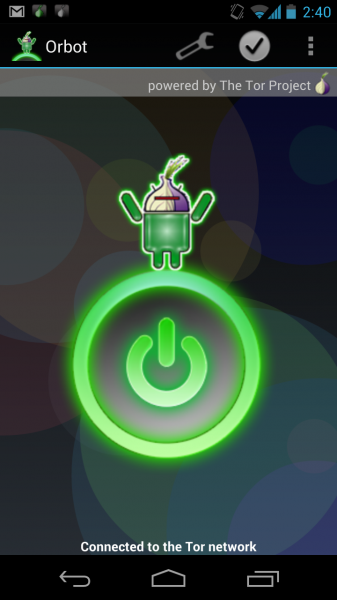
5. Orbot

Enhance your privacy, break through firewalls and communicate more safely. Orbot is the official of tor to Android. Tor is a network of virtual tunnels that allows people and groups to improve their privacy and security on the Internet.


When you lose your phone while the ringer is turned off it can be impossible to find it. Where's my Droid fixes that problem, After texting your phone a custom attention word the app turns the ringer volume up and makes your phone ring.


 It's also possible to get the GPS location of your phone in latitude and longitude and a link to Google maps.

You'll can get the above applications and other apps here : Android Apps

Hope the above info helped you. If you like the above applications please let me know then via your comments.

Android Device Rooter (ADR)

Leave a Comment

Android device rooter is a Software which roots ur devices an it is very useful in many of the inaccessible works


Android rooting is the process of allowing users of smartphonestablets, and other devices running the Android mobile operating system to attain privileged control (known as "root access") within Android's subsystem. 
                                                                                               Rooting is often performed with the goal of overcoming limitations that carriers and hardware manufacturers put on some devices, resulting in the ability to alter or replace system applications and settings, run specialized apps that require administrator-level permissions, or perform other operations that are otherwise inaccessible to a normal Android user. Rooting is similar to jailbreaking devices running the Apple iOS operating system. On Android, rooting can also facilitate the complete removal and replacement of the device's operating system, usually with a more recent release of its current operating system.

Black Market Alpha 1.1

Leave a Comment

Black market for android makes easy to download the files from play store in free of cost without paying any money it is a very cheap software which is used very rarely.

To download the apk click to this link: DOWNLOAD

Android CMD (Terminal Emulator)

119 comments
Android CMD (Terminal Emulator)


The Android Shell
A "shell" is a program that listens to keyboard input from a user and performs actions as directed by the user. Android devices come with a simple shell program. This shell program is mostly undocumented. Since many people are curious about it I thought I'd write up some documentation for it.

Quote:
Currently this documentation is incomplete, sorry!
Common problems
Quote:
The built-in shell has very limited error handling. When you type a command name incorrectly it will say "permission denied", even though the real problem is that it couldn't find the command:
Code:
$ dir
dir: permission denied  <---- this is a misleading error message, should say 'dir: not found'
$ ls
... listing of current directory
The PATH variable

The Android shell will run any program it finds in its PATH. The PATH is a list of directories. You can find out what your shell's PATH is set to by using the built-in echo command:

Code:
$ echo $PATH
/data/local/bin:/sbin:/vendor/bin:/system/sbin:/system/bin:/system/xbin
Depending upon your shell, you may see a different result.

Built in Commands
Every shell has a few built-in commands. Some common built-in commands are:
  • echo -- prints text to stdout.
  • set -- sets shell variables
  • export -- makes shell variables available to command-line programs
  • cd -- change the current directory.
  • pwd -- print name of the current directory.

Commands

Quote:
To find out what commands you have available to you, use the "ls" command on each of the directories in the PATH variable.
Finding documentation for the Android commands.

Many of the Android commands are based on standard Linux (or bsd) commands. If you're curious about a command, you can sometimes learn how it works by using the "man" command on a desktop Linux or OSX (Apple Macintosh) computer. The Linux or OSX version of the command may be different in details, but much of the documentation will still apply to the Android version of the command.

Another source of documentation for people without a Linux or OSX machine handy is to use a web browser and use a web search engine to search for the text: "man Linux command-name".

List of commands

The following is a list of the commands that are present on a Nexus S phone running an Android 2.3.3 "user-debug" build. Many of these commands are not present on a "user" phone. (They are missing from a "user" phone because they are specific to developing or debugging the Android operating system.)

Code:
$ ls /data/local/bin
/data/local/bin: No such file or directory
Notice that by default there is no /data/local/bin directory. You can create this directory using the "mkdir" command if you like.

Code:
$ ls /sbin
opendir failed, Permission denied
The /sbin directory exists, but you don't have permission to access it. You need root access. If you have a developer phone, or otherwise have root access to your phone you can see what's in this directory.

Code:
$ su
# ls /sbin
ueventd
adbd
# exit
$
Quote:
Notice that the shell prompt changes from a '$' to a '#' to indicate that you have root access.
Notice also that neither of the /sbin commands are useful to the shell -- the adb and ueventd files are 'daemon' programs used to implement the Android Debugger "adb" program that is used by developers.

Code:
$ ls /vendor/bin
gpsd
pvrsrvinit
Vendor/bin is where device vendors can put device-specific executables. These files are from a Nexus S.

Code:
$ ls /system/sbin
/system/sbin: No such file or directory
This directory does not exist on a Nexus S.

Code:
$ ls /system/bin
am
Quote:
am is the Android Activity Manager. It's used to start and stop Android activities (e.g. applications) from the command line. Type am by itself to get a list of options.
Code:
amix
aplay
Command line audio file player.

Code:
app_process
applypatch
Used to apply patches to android files.

Code:
arec
Command line audio recorder.

Code:
audioloop
bluetoothd
BlueTooth daemon

Code:
bmgr
Backup manager - type command by itself to get documentation.

Code:
bootanimation
Draws the boot animation. You may have to reset your phone to get out of this.

Code:
brcm_patchram_plus
bugreport
cat
Copy the contents of a file to standard output.

Code:
chmod
Change the mode of a file (e.g. whether it can be read or written.)

Code:
chown
Change the owner of a file.

Code:
cmp
Compare two files byte-by-byte

Code:
dalvikvm
The dalvik virtual machine. (Used to run Android applications.)

Code:
date
Prints the current date and time

Code:
dbus-daemon
dd
Convert and copy a file. By default copies standard in to standard out.

Code:
debuggerd
dexopt
df
Shows how much space is free on different file systems on your device.

Code:
dhcpcd
dmesg
dnsmasq
dumpstate
dumpsys
dvz
fsck_msdos
gdbserver
getevent
getprop
gzip
hciattach
hd
id
ifconfig
iftop
ime
input
insmod
installd
ioctl
ionice
iptables
keystore
keystore_cli
kill
Send signals to processes.

Code:
linker
ln
Used to set up a file system link.

Code:
log
logcat
Prints the Android runtime log.

Code:
logwrapper
ls
Lists files.

Code:
lsmod
lsof
make_ext4fs
mediaserver
mkdir
Make a directory.

Code:
monkey
A program that sends random events, used to test applications. (Like having a monkey playing with the device.)

Code:
mount
mtpd
mv
Move a file from one directory to another. (Only on the same file system. Use "cat a > b" to copy a file between file systems.

Code:
nandread
ndc
netcfg
netd
netstat
newfs_msdos
notify
omx_tests
pand
ping
pm
pppd
printenv
ps
List active processes.

Code:
qemu-props
qemud
racoon
radiooptions
reboot
Reboot the device.

Code:
record
renice
rild
rm
Remove a file.

Code:
rmdir
Remove a directory.

Code:
rmmod
route
rtp_test
run-as
schedtest
schedtop
sdcard
sdptool
sendevent
service
servicemanager
setconsole
setprop
setup_fs
sh
showlease
sleep
smd
stagefright
start
Starts the Android runtime.

Code:
stop
Stops the Android runtime.

Code:
surfaceflinger
svc
sync
system_server
tc
testid3
toolbox
top
Shows which processes are currently using the most CPU time.

Code:
umount
uptime
Prints how long your device has been running since it was last booted.

Code:
vdc
vmstat
vold
watchprops
wipe
wpa_cli
wpa_supplicant

$ ls /system/xbin
add-property-tag
btool
check-lost+found
dexdump
dhdutil
hcidump
latencytop
librank
opcontrol
oprofiled
procmem
procrank
rawbu
scp
Secure copy program. (Used to copy files over the network.)

Code:
showmap
showslab
sqlite3
Used to administer SQLite databases.

Code:
strace
System trace command - use to see what system calls a program makes.

Code:
su
Start a shell with root privileges.

Versions of the Android Shell
Android 1.0 used a shell that had no tab completion or history editing.
Android 2.3 added history editing. You can for example use the up/down arrows to edit previous commands.

Other shells
Busybox
Busybox is a program that contains a shell and a set of command line utilities. Search Android Market for "Busybox" and you should find some versions you can install. The Busybox shell includes tab completion and history editing. Some versions of Busybox for Android do not require that you root your phone.

Debian utilities
You can install the full Debian shell and utilities. (Debian is a popular desktop Linux distribution.) I don't know the details, and it may require a "rooted" phone. Try a web search for "Debian Android install".

Custom ROMs
Some custom ROMs come with their own shells and utilities. If you are using a custom ROM, check its documentation to find out what's available.

Downloads